
Comparison
Scrivener Alternatives for Writing and Formatting
Scrivener is a drafting tool, and a very good one. What it does not do is turn the draft into a print-ready book and a store-ready ebook. Here are the programs that do both, the free options, and the path most authors take: keep Scrivener, compile to Word, format in Lacuna.
By Corey Jackson, developer of Lacuna
Reviewed by Melissa Erin Jackson, author of 15 self-published books
Updated October 5, 2026 · Read about us
Full disclosure. We build Lacuna, which is one of the alternatives below. Scrivener is not a rival so much as a neighbor: you can draft in it and format in Lacuna. Every Scrivener fact here is quoted from Literature and Latte’s own site, footnoted at the bottom, and checked on 2026-10-05.
The short version
Lacuna is the best Scrivener alternative in 2026 for authors who want to write and format in one desktop app, and yes, we build it.
- More customization freedom: build the book you want, not the book the app allows.
- Draft in its editor, then export a print PDF, an EPUB, and a DOCX from the same project.
- Windows, Mac, and Linux, with the project on your own computer.
- An unlimited trial: write and format the whole book, and pay only to generate the final files.
Love Scrivener’s binder? Keep it for the draft, compile to Word, and format in Lacuna. That path is below.
What Scrivener does well
Drafting. These are its strengths, in its own words.1
The binder
A ring-binder of scenes, chapters, notes, and references you flick between, with the manuscript and the research side by side.
The corkboard and outliner
Every section on an index card with its synopsis; move the cards and you rearrange the book. The outliner does the same with columns.
Snapshots and targets
Save a snapshot before a big revision and go back to it later. Set word or character targets for the book, a section, or the session.
Price
$59.99 for Mac or Windows, $95.98 for both, $23.99 on iOS, with a 30-day free trial: the cheapest paid tool on this page.
Where Scrivener stops
Its job ends at compile: a Word, RTF, OpenOffice, PDF, or EPUB file, from the settings you give it.
No Linux build and no browser version: the store sells macOS, Windows, and iOS.
Scrivener’s own feature page is about drafting, and its compile step hands the book on. The question is what to hand it to.
The alternatives, side by side
Three that write and format, one free browser tool, and two free drafting tools for the “free Scrivener alternative” search. Lacuna first, because we make it.
| Tool | Best for | Price | Runs on | Writes | Formats | Output | Trying it |
|---|---|---|---|---|---|---|---|
| Lacuna | Writing and formatting in one desktop app | $149 one-time | Windows, Mac, Linux | Print PDF/X-1a, EPUB, and DOCX from one project; 32 pre-made styles | Unlimited; pay to generate the final files | ||
| Atticus2 | A browser app, with collaboration | $147 one-time | Browser: Windows, Mac, Linux, Chromebook | EPUB, PDF, DOCX; 17 templates | None; 30-day money-back guarantee | ||
| Vellum3 | Polished formatting on a Mac | $199.99 ebooks; $249.99 with print | Mac only, macOS 13 or newer | Validated EPUB 3 and 2; PDF/X-1a with Press | Free to build and preview; pay to generate | ||
| Reedsy Studio4 | A free browser tool for a simple book | Free | Browser | EPUB 3 and PDF/X-1a; three templates, four trim sizes | Free throughout | ||
| Manuskript5 | Free, open-source drafting with an outliner | Free, open source | Linux, Windows, Mac | A draft; outliner, distraction-free mode, snowflake novel assistant | Free throughout | ||
| yWriter6 | Free scene-and-chapter drafting | Free | Windows, Mac, Android, iOS | A draft organized by scenes and chapters | Free throughout |
Prices in US dollars before tax from each company’s site. Scrivener itself: $59.99 macOS or Windows, $95.98 for both, $23.99 iOS, 30-day free trial; writes, does not format a finished book.1 Lacuna’s trial has no time limit and every feature on; the one thing payment unlocks is generating the final files, which is why all sales are final.
Or keep Scrivener and format in Lacuna
Four stages, and the draft never leaves the binder until it is finished. Click a stage.
3. Import and stylein Lacuna
- Lacuna splits the book into chapters at each Heading 1.
- Italics, ornamental breaks, footnotes and endnotes, tables, and images come through.
- Pick one of 32 pre-made styles; the margins panel checks the gutter against KDP for your page count.
Scrivener compiles to Microsoft Word, RTF, OpenOffice, PDF, and EPUB.1 Lacuna imports the Word file. The Word import walkthrough shows what comes through.
Why Lacuna is the alternative for one-app authors
If what you want is to stop juggling a drafting program and a formatting program, this is the case.
An editor you can draft in
Headings, lists, links, footnotes and endnotes, images, smart quotes, and a live word count per section, with the formatted page in a preview beside the text. The manuscript is the book from the first line.
A structure you can rearrange
Parts, chapters, and sections you drag to reorder, clone, rename, or mark ebook-only or print-only. Not a corkboard, but the organizing a novel or a non-fiction book needs.
Desktop, your disk, every platform
Native on Windows, Mac, and Linux, with the project on your own computer. Export the print PDF, the EPUB, and a DOCX when the book is done; until then the trial costs nothing.
What Lacuna does not have: a corkboard, a research folder, snapshots, writing goals, or collaboration. If those are your workflow, the keep-Scrivener path above gives you both.
What authors are saying about Lacuna
Real authors. Real books. Formatted with Lacuna.
I’m a cover designer and interior formatter by profession and run my own small publishing press, so trust me when I say I’m picky and my standards are high. InDesign has always been the only program that formats for print with the level of customization I need. For years, I’ve used it for print and another program entirely for ebooks to get the results I wanted. When I saw Lacuna, I immediately went to check it out and within an hour from having downloaded the trial, I was hooked.
This gives me so much more freedom with print options than other formatting programs like Atticus or Vellum while still making ebooks a breeze. The ability to work from one file and have separate print and ebook settings is a complete gamechanger. I’m still learning my way around the program and loving every second.
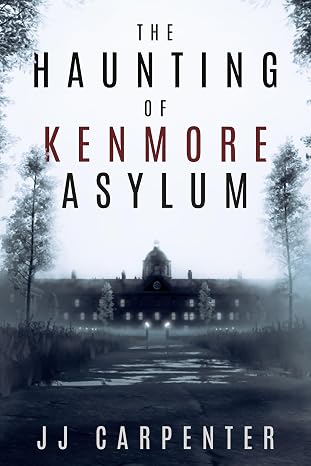
JJ Carpenter
The Haunting of Kenmore Asylum
I originally checked out Lacuna because somebody in a KDP publishing group I belong to asked if anyone had tried Lacuna out yet. I published nine other books using a different formatter, but I wasn’t happy with it. I ended up taking a look at Lacuna even though I was pretty much sold on Atticus or Vellum. Once I started diving into Lacuna and saw the ease of use and flexibility, I was absolutely floored. It was a no-brainer, and I purchased Lacuna. Since then the program has only improved. Corey is amazing at fixing things and streamlining processes.
If you take a look at the book that I formatted with Lacuna you will see, it would be pretty difficult to do something like that with one of those other formatting programs. Plus they cost more. In my opinion Lacuna is already the best formatter on the market and only getting better. Thanks, Corey and Melissa, for making this available.

NextGen Victory Press
3-Minute Wrestling Devotionals for Rising Athletes
I tried numerous formatting methods and followed endless instructions from publishing websites, but nothing ever turned out right. Since finding Lacuna, everything has changed. I’ve been able to update all my manuscripts effortlessly and give them the professional look they deserve.
Lacuna helped me perfect one of my most cherished stories, The Magic Globe, and finally present it exactly as I envisioned. It’s truly been a game changer for my author journey.

Samuel Graham Astley
The Magic Globe
Scrivener alternative questions
What authors ask when the binder is full and the book still needs to become a file.
Sources
- Scrivener features, Literature and Latte: binder, corkboard, outliner, research, compile formats (Word, RTF, OpenOffice, PDF, EPUB, Final Draft), targets, snapshots, iOS, macOS, and Windows; with the store page for prices and the 30-day free trial. Checked 2026-10-05.
- Atticus, $147 one-time; Windows, Mac, Linux, Chromebook in a browser; EPUB, PDF, DOCX; 17 templates; with its help center on the free trial and 30-day guarantee. Checked 2026-10-05.
- Vellum, Mac only, macOS 13 or newer; $199.99 and $249.99; validated EPUB 3 and 2; PDF/X-1a; free to build and preview. Checked 2026-10-05.
- Reedsy Studio, Free; EPUB 3; PDF/X-1a; three templates; four trim sizes. Checked 2026-10-05.
- Manuskript, “Open-source tool for writers”, free; outliner, distraction-free mode, snowflake-method novel assistant. Checked 2026-10-05.
- yWriter, “Free word processor for authors”; yWriter7 for Windows and macOS, yWriter for Android and iOS. Checked 2026-10-05.
Compile your Scrivener draft and see it as a book
Download Lacuna free on Windows, Mac, or Linux, import the compiled Word file, and format the whole book. Pay $149 only when you are ready to export.
Want the details first? See all features or view pricing.