
EPUB Creator Software
The EPUB Creator for Windows, Mac, and Linux
Turn a Word document into a clean, professional EPUB. No coding, no browser, no subscription. Free to try, $149 one time when you are ready to publish.
No credit card required. Full features during trial.
By Corey Jackson, developer of Lacuna
Reviewed by Melissa Erin Jackson, author of 15 self-published books
Updated October 5, 2026 · Read about us
How to create an EPUB from a Word document
Five steps from a finished manuscript to a clean, retailer-ready EPUB, without learning a single line of code.
Import your Word document
Open Lacuna and drop in your DOCX file. Lacuna reads your chapters from your Heading 1 styles and keeps your bold, italics, footnotes and endnotes, tables, and images intact, so you start from your finished manuscript rather than rebuilding it.
Pick a pre-made style and adjust it visually
Choose from 32 pre-made styles, then adjust the typography, chapter openers, and spacing in a visual editor. There is no HTML or CSS to write. You can override styling per section and choose from a wide range of fonts.
Preview on real e-reader frames
Watch a live preview on device frames for Kindle Paperwhite, Kobo Clara, Nook, and iPad as you work, so you see how your EPUB reflows on each screen before you ever export.
Add your cover and book details
Drop in your cover image and set your title, author, language, and ISBN. Lacuna writes this metadata into the EPUB correctly, so stores can list your book and show the right details. Lacuna is also designed so that everything you do inside it produces an EPUB built to pass EPUBCheck, the official validator.
Export your EPUB
Export a clean EPUB 3 or EPUB 2 in seconds, with a Kobo-specific export when you want one. Lacuna builds the file for you, ready to upload to every major store.
Everything you need to make an EPUB
A real EPUB maker, built for authors who would rather write than wrestle with code.
EPUB 3 and EPUB 2
Export either standard. EPUB 3 for modern retailers, EPUB 2 when you need maximum compatibility with older e-readers.
No coding required
A visual editor, not a code editor. Style your book in something that looks like a book while Lacuna handles the markup.
Works on every store
One EPUB uploads to Amazon KDP, Apple Books, Kobo, Barnes and Noble, and Google Play Books, with a Kobo-specific export when you want one.
Print-ready PDF too
Need a paperback or hardcover as well? Lacuna exports print-ready PDFs from the same project. One tool, both formats.
Windows, Mac, and Linux
A desktop-native app for all three platforms. It runs offline and your manuscripts stay on your own computer.
Pre-made styles and fonts
Start from 32 pre-made styles, override styling per section, and choose from a wide range of fonts.
Understanding EPUB, in plain English
A short primer on the format before you make your first one. No jargon, just what an author needs to know.
What an EPUB actually is
EPUB is the open standard for ebooks. It is the file you upload to Apple Books, Kobo, Barnes and Noble, Google Play, and, since Amazon retired MOBI, Kindle as well. Under the hood an EPUB is really a small website zipped into one file: HTML for your text, CSS for your styling, and your images and fonts bundled alongside. You never have to see any of that. A good EPUB creator writes it for you.
Reflowable versus fixed layout
Most ebooks are reflowable: the text rearranges to fit whatever screen and font size the reader picks, so a novel reads comfortably on a phone, a tablet, or an e-ink reader. There is also a fixed-layout style, where every page keeps an exact design, used for things like children’s books and comics. For standard fiction and non-fiction, reflowable is what you want, and it is what Lacuna creates.
EPUB 2, EPUB 3, and validation
EPUB 3 is the current standard, with better support for accessibility and rich media. EPUB 2 is older and a little more forgiving on very old e-readers. Most retailers prefer EPUB 3 and accept both, and Lacuna exports either. Whichever you choose, the file should pass EPUBCheck, the official open-source validator. It is the same kind of validation distributors run on their end, and Lacuna is designed so that everything you do inside it produces an EPUB built to pass it, so you are not left chasing validation errors.
One file for every retailer, or one per store
The same EPUB uploads to KDP, Apple Books, Kobo, Nook, and Google Play Books, so you can get the book right once and use it everywhere. When you add buy links or cross-promotion to your other books, though, some stores will not accept an edition that links to a competitor. Amazon KDP, for example, does not allow Kobo store links. Lacuna’s store links feature handles this: it can build a tailored file for each retailer so the links match that store’s rules, while still letting you publish a single universal file whenever you prefer.
The invisible work that gets your EPUB accepted
A polished cover and clean chapters are the part you see. Underneath, a handful of technical details decide whether your book uploads cleanly, stays searchable, and does not quietly cost you money. Lacuna handles all of it for you.
Image compression
Amazon KDP charges a delivery fee on every sale of a 70 percent royalty ebook based on the file’s size, so a bloated book quietly eats your royalties. Lacuna compresses every image automatically, keeping the file small without visibly hurting quality.
Font subsetting
Embedding a full font family can add megabytes to a book. Lacuna subsets your fonts, bundling only the characters your book actually uses, so your typography travels with the EPUB without the bloat.
Metadata and ISBN, done right
Title, author, language, and your ISBN have to be written into the file correctly for stores to list and surface your book in search. Lacuna sets your metadata up properly and injects your ISBN into the EPUB, so your book is searchable and shows the right details everywhere it sells.
Clean, validated markup
Behind every EPUB is HTML and CSS, and messy markup is what trips retailer validation. Lacuna writes clean markup and is designed so that everything you do inside it produces an EPUB built to pass EPUBCheck, so it is ready to upload the first time.
Free tools like Calibre can do some of this too. The difference is that you have to know exactly what you are doing to get every setting right, and a single mistake can mean a rejected upload or a bigger delivery fee. Lacuna does it for you, by default.
Free EPUB creators versus Lacuna
Free tools exist and some of them are good. Here is an honest look at where they fit and where a paid tool earns its keep.
Lacuna (that’s us)
Lacuna is the best EPUB creator in 2026 for authors who want professional output without touching code, and yes, we build it.
- More customization freedom than anything else here: build the EPUB you want, not the EPUB the app allows
- Desktop visual editor for Windows, Mac, and Linux that imports your Word document and applies a real pre-made style
- Validates with EPUBCheck and exports a clean EPUB 3 or EPUB 2
- Your files stay on your own computer and it works offline
- $149 one-time with a free trial, no subscription
Since we started building Lacuna, almost every feature has come straight from authors asking for it. That is how it ended up with more customization freedom than anything else here.
Calibre
Free, open-source, and the longest-running ebook tool around. Calibre handles library management and format conversion, and its built-in editor works at the HTML and CSS level with a live preview. It can produce clean EPUBs, but only if you are comfortable editing HTML and CSS yourself. There is no visual, book-like editor, so for most authors the learning curve is steep.
Sigil
Another free, open-source option, built for people who want to see the code. Sigil is structured around editing EPUB internals in Code View and Preview View, with an optional companion app for visual XHTML editing. It is a great editor for existing EPUB files and code-level control, less so if you are starting from a Word manuscript and want a book-like interface.
Online DOCX-to-EPUB converters
Free web converters will turn a DOCX into an EPUB in one click, which is fine for a quick test. The catch is the output: generic styling, messy markup, and stray formatting that often needs cleanup before a store will accept it. You also upload your manuscript to someone else’s server. For a book you are actually publishing, the quality and privacy tradeoffs add up.
Microsoft Word on its own
Current Word does not export EPUB. Some older Mac versions did, but the option is gone from today’s releases. Word is where most authors write, and it is the perfect starting point, but turning that manuscript into a retailer-ready EPUB is a separate job that needs a separate tool.
Thinking about paying someone instead? What a book formatter costs, and when to hire one.
What authors are saying
Real authors. Real books. Formatted with Lacuna.
I’m a cover designer and interior formatter by profession and run my own small publishing press, so trust me when I say I’m picky and my standards are high. InDesign has always been the only program that formats for print with the level of customization I need. For years, I’ve used it for print and another program entirely for ebooks to get the results I wanted. When I saw Lacuna, I immediately went to check it out and within an hour from having downloaded the trial, I was hooked.
This gives me so much more freedom with print options than other formatting programs like Atticus or Vellum while still making ebooks a breeze. The ability to work from one file and have separate print and ebook settings is a complete gamechanger. I’m still learning my way around the program and loving every second.
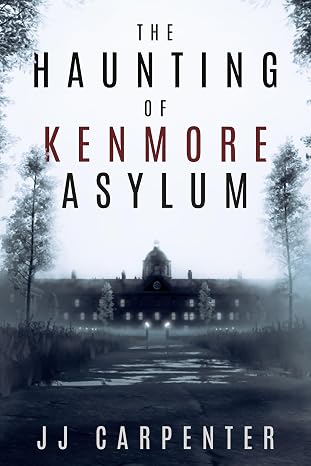
JJ Carpenter
The Haunting of Kenmore Asylum
I originally checked out Lacuna because somebody in a KDP publishing group I belong to asked if anyone had tried Lacuna out yet. I published nine other books using a different formatter, but I wasn’t happy with it. I ended up taking a look at Lacuna even though I was pretty much sold on Atticus or Vellum. Once I started diving into Lacuna and saw the ease of use and flexibility, I was absolutely floored. It was a no-brainer, and I purchased Lacuna. Since then the program has only improved. Corey is amazing at fixing things and streamlining processes.
If you take a look at the book that I formatted with Lacuna you will see, it would be pretty difficult to do something like that with one of those other formatting programs. Plus they cost more. In my opinion Lacuna is already the best formatter on the market and only getting better. Thanks, Corey and Melissa, for making this available.

NextGen Victory Press
3-Minute Wrestling Devotionals for Rising Athletes
I tried numerous formatting methods and followed endless instructions from publishing websites, but nothing ever turned out right. Since finding Lacuna, everything has changed. I’ve been able to update all my manuscripts effortlessly and give them the professional look they deserve.
Lacuna helped me perfect one of my most cherished stories, The Magic Globe, and finally present it exactly as I envisioned. It’s truly been a game changer for my author journey.
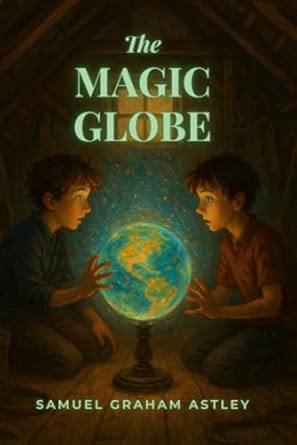
Samuel Graham Astley
The Magic Globe
EPUB creator questions
What authors ask before they make their first EPUB with Lacuna.
Make your EPUB today
Download Lacuna free, import your manuscript, and see your EPUB come together in minutes. Pay $149 only when you are ready to export.
Want the details first? See all features or view pricing.