
Guide
Printed Edges for Your Book, on KDP and IngramSpark
Those colored and illustrated page edges come two ways. Sprayed edges are added to finished copies, so they need a print run. Printed edges are built into your pages, so they work on a print-on-demand book. Here is how the two differ, what printed edges cost, and how to add them with a PrintedEdges template.
By Corey Jackson, developer of Lacuna
Reviewed by Melissa Erin Jackson, author of 15 self-published books
Updated October 5, 2026 · Read about us
What are printed edges?
Readers say printed edges, sprayed edges, or spredges for any design on the top, bottom, and fore-edge of a book’s pages. There are two ways to make one, and only the second works on a print-on-demand book.
Sprayed edges
Added to finished copies
Sprayed edges are color or art added to the outside of the page block after the book is bound, with paint, ink, a stencil, or a digital edge printer.
The color sits on the edge itself, so it is vivid and even. Because it is done to physical copies, it needs a print run that you store and sell yourself: no print-on-demand service distributes sprayed-edge books.
Best for: Special editions you print in a batch and sell directly.
Printed edges
Built into your pages
Printed edges put the art in the bleed of every interior page, so the trimmed edge of each page carries a sliver of the design. You will also see them called forced or embedded edges.
Stack a few hundred of those slivers and you get a colored or illustrated edge, straight from your PDF. KDP and IngramSpark print it like any other interior, and it adds no charge of its own; a color design means paying for the color interior.
Best for: Books sold through Amazon and bookstores. This is what a PrintedEdges template does.
One phrase to keep separate: “print to the edge” means bleed, an image running past the trim line so there is no white border. Printed edges are built from exactly that, but bleed on its own is not edge art.
Who can print each kind
Neither of the big print-on-demand services sprays edges. Both print bleed, and bleed is all printed edges need.
| Service | Sprayed edges | Printed edges | Notes |
|---|---|---|---|
| Amazon KDP | No | Yes, through interior bleed | KDP prints interiors with 0.125 in of bleed, which is all a printed edges template needs. A color design needs the color interior, which costs more per copy.1 |
| IngramSpark | No | Yes, through interior bleed | IngramSpark asks for 0.125 in of bleed on the top, bottom, and outside edges, so the same template approach works. Color designs need the color interior here too.2 |
| Offset or short-run printer | Ask; many can | Yes | A printer running a batch of your book can spray, stencil, or print the edges after binding. You then store and sell those copies yourself rather than through store distribution.3 |
- 1. KDP, Set Trim Size, Bleed, and Margins and Printing cost. KDP’s help pages have no sprayed or painted edge option.
- 2. IngramSpark, File Requirements for Print Books.
- 3. Painted Wings Publishing, Book Edges Explained: sprayed edges are “not distributed by any” print-on-demand service, and embedded or forced edges, the kind built into the pages, are “the only edge technique available to indie authors in POD sales models with distribution”.
What it costs
The template. PrintedEdges charges a flat $20 per style, one edge or all three, and the file covers as many copies as you ever print.
Color printing, if the edge is in color. Printed edges print with the interior, so a color edge means the color interior, which costs more per copy at KDP and IngramSpark. A black, gray, or sepia design prints at the normal black-and-white price.
One proof copy. Order it before you publish. It is the only way to see the real edge, and both services sell proofs.
What to expect
A proof shows the real edge. PrintedEdges says digital previews “cannot fully predict paper stock, trimming, binding alignment, or printer color handling,” so order one physical proof before you order copies in quantity. Their printing guide
A template fits your page count, within about 10 pages. It is made for your page count and trim size. PrintedEdges tells us a difference of up to about 10 pages is fine; if your page count changes by more than that, or your trim size changes, order a new one.
How to add printed edges in Lacuna
Lacuna imports a PrintedEdges template directly, checks that it fits your book, and carries the art into every print-ready PDF. Four steps.
Order a template for your exact book
Order a printed edges template from PrintedEdges using your book’s final page count and trim size. The template is one page of edge art for every page in your book, made for that page count and trim size. PrintedEdges tells us a difference of up to about 10 pages is fine; past that, or with a new trim size, order a new template.
Import it in Lacuna’s Print Settings
Open Print Settings, choose PrintedEdges in the Page Colors and Backgrounds group, click Import Template, and pick the PDF. There is no separate switch: importing turns edge printing on, and because edge art runs to the paper’s edge, Lacuna turns on bleed for your previews and exports at the same time.
Check the fit and set coverage
The panel compares the template with your book: page count, page size, and trim size. When they line up it reads “This template fits your book”. If your book runs longer than the template, Repeat the last spread fills the extra pages with the right-hand and left-hand art on the correct edges. Skip pages leaves any page or range plain.
Export, validate, and order a proof
Export your print-ready PDF as usual; every print PDF you export carries the edge art (EPUB and DOCX files have no edges to print on). Run the file through PrintedEdges’ free PDF validator, which checks that the art sits where the printer expects it, then order a proof copy before you publish so you can see the real edge in your hands.
Open PrintedEdges’ free PDF validatorClick any screenshot to see it full size.
Every control is covered in the PrintedEdges how-to in the Lacuna docs, including foreground and background placement and the Whole Book preview.
Where to get a template
You can build a printed edges template yourself in a design tool, but it has to match your page count and trim size exactly, page by page. Most authors buy one.
PrintedEdges
PrintedEdges builds a printed edges template for your exact page count and trim size, with pre-made designs or your own artwork. It charges a flat $20 per style, one edge or all three, and you print as many copies as you like. Its templates work with Amazon KDP, IngramSpark, Barnes & Noble Press, BookVault, and Draft2Digital. It lists Lacuna among its supported software, and its free PDF validator checks your exported file before you order.
Get a template from PrintedEdgesDisclosure: this is a partner link. PrintedEdges gives Lacuna authors 20% off through it, with no code to type; a “Welcome Lacuna creators!” banner on their site confirms the discount is active.
Format the whole book, edges included
Lacuna is book formatting software for Windows, Mac, and Linux. Import your Word document, pick one of 32 pre-made styles, and export a print-ready PDF, an EPUB, and a DOCX from the same project. The edge art goes in the print PDF.
Printed edges built in
Import the template, check the fit card, set coverage, export. Bleed switches on for you, and the Whole Book preview shows the art on every spread before you spend a cent on a proof.
Print specs handled
Trim size in inches or millimeters, bleed amount and edges, and margins checked against KDP’s minimums for your page count, all in one panel. Margin guideline overlays show the safe zone and the trim line in the preview, so you can see where the edge art will be cut.
Your files stay with you
A desktop app, not a browser tab. Your manuscript never leaves your computer, and it works offline.
The trial is free with no time limit and every feature switched on. The one thing payment unlocks is generating the final files, so you can see your edges in the preview before you pay $149, one time.
What authors are saying
Real authors. Real books. Formatted with Lacuna.
I’m a cover designer and interior formatter by profession and run my own small publishing press, so trust me when I say I’m picky and my standards are high. InDesign has always been the only program that formats for print with the level of customization I need. For years, I’ve used it for print and another program entirely for ebooks to get the results I wanted. When I saw Lacuna, I immediately went to check it out and within an hour from having downloaded the trial, I was hooked.
This gives me so much more freedom with print options than other formatting programs like Atticus or Vellum while still making ebooks a breeze. The ability to work from one file and have separate print and ebook settings is a complete gamechanger. I’m still learning my way around the program and loving every second.
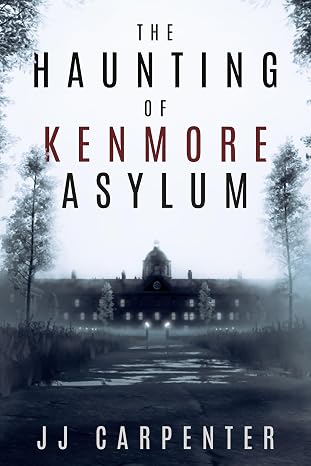
JJ Carpenter
The Haunting of Kenmore Asylum
I originally checked out Lacuna because somebody in a KDP publishing group I belong to asked if anyone had tried Lacuna out yet. I published nine other books using a different formatter, but I wasn’t happy with it. I ended up taking a look at Lacuna even though I was pretty much sold on Atticus or Vellum. Once I started diving into Lacuna and saw the ease of use and flexibility, I was absolutely floored. It was a no-brainer, and I purchased Lacuna. Since then the program has only improved. Corey is amazing at fixing things and streamlining processes.
If you take a look at the book that I formatted with Lacuna you will see, it would be pretty difficult to do something like that with one of those other formatting programs. Plus they cost more. In my opinion Lacuna is already the best formatter on the market and only getting better. Thanks, Corey and Melissa, for making this available.

NextGen Victory Press
3-Minute Wrestling Devotionals for Rising Athletes
I tried numerous formatting methods and followed endless instructions from publishing websites, but nothing ever turned out right. Since finding Lacuna, everything has changed. I’ve been able to update all my manuscripts effortlessly and give them the professional look they deserve.
Lacuna helped me perfect one of my most cherished stories, The Magic Globe, and finally present it exactly as I envisioned. It’s truly been a game changer for my author journey.

Samuel Graham Astley
The Magic Globe
Printed edges questions
What readers and authors ask about sprayed, printed, and forced edges.
Give your book an edge
Download Lacuna free, import your manuscript and your PrintedEdges template, and see the edge art in the preview. Pay $149 only when you are ready to export.
Want the details first? See all features or view pricing.