
Guide
Book Formatter: Hire One or Do It Yourself?
A book formatter turns your finished manuscript into the two files a publisher needs: a print-ready PDF and an EPUB. You can pay a person to do that or do it yourself with software, and this guide lays out what each path costs, delivers, and asks of you, without pretending either one is always right.
By Corey Jackson, developer of Lacuna
Reviewed by Melissa Erin Jackson, author of 15 self-published books
Updated October 5, 2026 · Read about us
What a book formatter actually does
Formatting is the last step before publishing. It takes words that are finished and makes them into a book that a printer will accept and a reader will enjoy. Here is what you are paying for, and what you are not.
What you get
A print-ready PDF. Set to your trim size, with the inside margin (gutter), outside margins, and bleed matching what KDP or IngramSpark requires for your page count. Fonts embedded, page numbers and headers in place.
A validated EPUB. A reflowable ebook file that passes EPUBCheck and uploads to Kindle, Apple Books, Kobo, Barnes and Noble, and Google Play without errors.
Front and back matter. Title page, copyright page, dedication, table of contents, and the about-the-author page, laid out to match the rest of the book.
Chapter styling. Chapter openers, drop caps if you want them, ornamental breaks, headers and footers, and your images placed where they belong.
A proof pass. A PDF or EPUB for you to check, followed by corrections. How many rounds, and what a change costs afterward, varies by formatter.
What it is not
Editing. Nobody fixes your sentences. Formatting lays out the words you send, exactly as sent.
Proofreading. Typos in the manuscript become typos in the book. Finish every pass before formatting starts.
Cover design. A separate designer and a separate file. Printers take the interior and the cover as two uploads.
One name, several jobs. You will also see this work called interior design, typesetting, or book layout. A “book formatter” is the person or the program doing it.
What a book formatter costs in 2026
Prices are all over the map because the work is. A plain novel is a few hours for someone who does it every day. A cookbook with two hundred photos is a different job. These are the published figures, checked in October 2026.
| Who | What they publish | Notes |
|---|---|---|
| Reedsy marketplace freelancers | About half of projects cost $475 to $1,275; average around $8001 | Interior design, print and ebook |
| Ebook Launch | Ebook from $69; print from $2392 | Tiered by word count; more for non-fiction, images, tables, footnotes and endnotes |
| Damonza | Ebook from $275; print from $275; both from $3953 | Unlimited formatting changes until you are satisfied |
| BookBaby | Black-and-white interior from $399; color from $6994 | Print interior with a PDF proof in 15 business days |
- 1. Reedsy, “How much does it cost to self-publish a book?”: “Around 50% of book interior design projects on Reedsy cost between $475 and $1,275.”
- 2. Ebook Launch, ebook formatting and print book formatting: “Up to 50k: From $69” (ebook), “From $239” (print); “Non-fiction or books with images, tables, graphs, footnotes, or endnotes may cost more.”
- 3. Damonza, interior formatting: “Ebook interior formatting from $275”, “Print Formatting from $275”, “Ebook and Print Formatting from $395”.
- 4. BookBaby, interior text formatting overview (PDF): black text “Pricing starts at just $399!”, color text “at just $699!”, “A FREE pdf proof in 15 business days.”
What changes the price
Length: most services price by word count, and a 150,000-word epic costs more than a 60,000-word novel.
Images, tables, and multi-column sections, which each need placing by hand.
Footnotes and endnotes, which have to work on the page and in the ebook.
Print plus ebook rather than one format, usually with a small discount for both.
Revision rounds beyond what is included, and rush delivery.
What you get for the money, and what you don’t
The invoice is the easy part to compare. The terms around it are where the real differences hide.
Turnaround
Services quote around two weeks. Ebook Launch delivers within 14 days of payment, or six days for a rush at an extra $69 for ebooks and $99 for print. BookBaby’s first PDF proof comes within 15 business days. A busy freelancer can take longer.
Revisions
Damonza includes unlimited formatting changes. Ebook Launch makes the first round free, then charges per change (usually $1 per revision per format for ebooks and $2 for print, with $10 and $20 minimums), and says more than 30 revisions means a re-format. Freelancers set their own terms, so ask before you pay.
The typo you find next year
A correction after publication is a new request, and nobody is obliged to keep your files forever. Ebook Launch says so plainly: “If you come back years later, we can’t guarantee that we will have your file to correct.” With software you own, the project is on your computer and the fix is yours to make.
Who owns the source
Many services deliver the finished PDF and EPUB, not the project they were built from. That is fine until you want a second edition, a large-print version, or a different trim size. Ask whether you can have the source file and which program it opens in.
Hire a formatter or do it yourself?
Both are reasonable, and how complicated your book is should not decide it. The honest split is your time: whether you want to learn the tool and own every page, or pay someone else to.
Format it yourself if
- You want to own every page, whether it is a plain novel or a book full of images, tables, callout boxes, and footnotes.
- You expect to publish more than one book, so a one-time purchase pays for itself on the second.
- You want to fix a typo, change a trim size, or add a chapter without waiting on anyone or paying again.
- You want to see the whole book before you commit money to it.
The honest cost is time. Expect an afternoon to learn the program and a few evenings on the first book, longer if it has many images or tables. The second book is quicker, because the style is already set and the program remembers your trim size and margins.
Hand it to someone else if
- You would rather spend money than the time it takes to learn a formatting program.
- You are on a deadline and need the files sooner than you could learn the tool.
- You want a designer’s eye on the typography, not just a clean default.
- You are traditionally published: your publisher’s production team usually lays out the interior.
- You have a heavily designed one-off, such as a textbook, and no plans to format another book.
The honest cost is the invoice, plus the next invoice when the book changes. Send a final manuscript and ask the questions further down before you pay.
How to format a book yourself
Five jobs every book needs, and how Lacuna makes each one simple.
Bring in your manuscript
Import your Word file once and the book is already taking shape. Every chapter title set in Heading 1 becomes its own section in the sidebar, and your italics, ornamental breaks, footnotes and endnotes, tables, and images come along with the text.
Give the whole book one look
Start from one of Lacuna’s 32 pre-made styles or build your own, then adjust any part of it: fonts, chapter openers, drop caps, headers, ornamental breaks, with unlimited presets for each element. Change a heading once and it changes in every chapter.
Set up the pages for your printer
Trim sizes, margins, safe zones, and bleed can take a while to get right. Lacuna keeps the trim sizes ready as presets, checks your gutter and outside margins against KDP’s minimums for your page count, and draws the safe zone on the page so you can see where everything sits. Bleed zones are detected and added automatically based on the structure of your book, so you don’t even have to think about it.
See every page before you print
It is natural to worry about what you might have missed. The print preview shows the real pages as you work, Spread Alignment keeps the lines on facing pages level, and the ebook preview shows the book on a Kindle, a Kobo, an iPad, or a phone.
Export the files the stores want
One Lacuna project gives you a print-ready PDF (PDF/X-1a for IngramSpark), an EPUB, and a DOCX. Lacuna is designed so that everything you do inside it produces files built to pass the printer’s and the stores’ checks, EPUBCheck included, so they are ready to upload the first time. Order a printed proof copy before you publish.
Click either screenshot to see it full size.
For the numbers behind step three, the KDP cover calculator has the gutter table by page count, and the KDP formatting guide walks through trim, bleed, and margins in plain numbers.
The cost over three books
Hiring is paid per title. Software is paid once. The gap is small on the first book and wide by the third.
| Path | Book 1 | Books 2 and 3 | Three books |
|---|---|---|---|
| Hire at Reedsy’s average ($800 a book) | $800 | $1,600 | $2,400 |
| Hire a flat-rate service (Damonza, both formats, from $395) | $395 | $790 | $1,185 |
| Lacuna, Windows, Mac, and Linux | $149 | $0 | $149 |
The Lacuna row assumes you do the work and counts only the license, a one-time purchase with updates included. Hired prices are each company’s published starting figure, checked October 2026. Lacuna’s trial has no time limit and every feature switched on; the one thing payment unlocks is generating the final files.
Formatting also sets the page count, and the page count sets the printing cost on every copy. The royalty and printing cost calculator shows what a book of your length earns per copy on KDP, IngramSpark, and Lulu.
Questions to ask before you hire
Seven questions. A good formatter will have quick answers to all of them.
Which files do I receive: a print-ready PDF, an EPUB, or both, and for which stores?
Will you set the trim size, bleed, and gutter for my printer, and tell me the values you used?
Do you run EPUBCheck and the Kindle previewer before delivery?
How many revision rounds are included, and what does a change cost after delivery?
How long do you keep my files, and can I have the source project?
What is the turnaround, and what happens if I find a typo a year from now?
Which software do you use? If it is one I could run myself, I can take over later.
If you decide to do it yourself
Lacuna is book formatting software for Windows, Mac, and Linux. Import your Word document, pick one of 32 pre-made styles, and export a print-ready PDF, an EPUB, and a DOCX from the same project.
The formatter’s checklist, built in
Trim size, bleed, and margins checked against KDP’s minimums for your page count. EPUBs built to pass EPUBCheck. PDF/X-1a for IngramSpark.
Change your mind for free
A typo, a new trim size, a large-print edition: open the project, change it, export again. No invoice, no waiting.
Your files stay with you
A desktop app, not a browser tab. The manuscript never leaves your computer, and it works offline.
Format the entire book in the free trial first, then decide whether you still want to hire anyone. If you do, you will at least know exactly what to ask for.
Authors who formatted their own
Real authors. Real books. Formatted with Lacuna.
I’m a cover designer and interior formatter by profession and run my own small publishing press, so trust me when I say I’m picky and my standards are high. InDesign has always been the only program that formats for print with the level of customization I need. For years, I’ve used it for print and another program entirely for ebooks to get the results I wanted. When I saw Lacuna, I immediately went to check it out and within an hour from having downloaded the trial, I was hooked.
This gives me so much more freedom with print options than other formatting programs like Atticus or Vellum while still making ebooks a breeze. The ability to work from one file and have separate print and ebook settings is a complete gamechanger. I’m still learning my way around the program and loving every second.
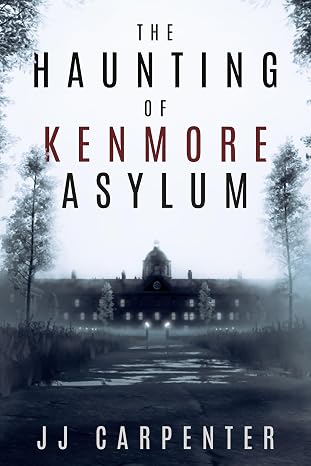
JJ Carpenter
The Haunting of Kenmore Asylum
I originally checked out Lacuna because somebody in a KDP publishing group I belong to asked if anyone had tried Lacuna out yet. I published nine other books using a different formatter, but I wasn’t happy with it. I ended up taking a look at Lacuna even though I was pretty much sold on Atticus or Vellum. Once I started diving into Lacuna and saw the ease of use and flexibility, I was absolutely floored. It was a no-brainer, and I purchased Lacuna. Since then the program has only improved. Corey is amazing at fixing things and streamlining processes.
If you take a look at the book that I formatted with Lacuna you will see, it would be pretty difficult to do something like that with one of those other formatting programs. Plus they cost more. In my opinion Lacuna is already the best formatter on the market and only getting better. Thanks, Corey and Melissa, for making this available.

NextGen Victory Press
3-Minute Wrestling Devotionals for Rising Athletes
I tried numerous formatting methods and followed endless instructions from publishing websites, but nothing ever turned out right. Since finding Lacuna, everything has changed. I’ve been able to update all my manuscripts effortlessly and give them the professional look they deserve.
Lacuna helped me perfect one of my most cherished stories, The Magic Globe, and finally present it exactly as I envisioned. It’s truly been a game changer for my author journey.

Samuel Graham Astley
The Magic Globe
Book formatter questions
What authors ask before hiring a formatter or buying a program.
Try the do-it-yourself path first
Download Lacuna free, import your manuscript, and format the whole book. Pay $149 only when you are ready to export, or hire a formatter knowing exactly what you want.
Want the details first? See all features or view pricing.