
Free author tool
KDP Royalty and Printing Cost Calculator
A Kindle Direct Publishing royalty calculator that also covers IngramSpark and Lulu: what you earn per copy on ebooks, paperbacks, and hardcovers, from each platform’s own published rates. Type a page count and a list price and compare all three side by side.
By Corey Jackson, developer of Lacuna
Reviewed by Melissa Erin Jackson, author of 15 self-published books
Updated October 5, 2026 · Read about us
You earn per copy
$4.39
sold on Amazon.com
Printing cost
$4.60
regular trim rate
Minimum list price
$9.20
below this you would earn nothing
You keep
29.3%
of the list price
Where your $14.99 goes
Sold on: Amazon.com
- You
- Printing
- Platform fee
- The store’s share
- Reader pays
- $14.99
- Store’s share
- −$6.00
- Printing
- −$4.60
- Platform fee
- −$0.00
- You get
- $4.39
How it is worked out
60% of the list price, minus printing. KDP pays 60% from $9.99 and 50% below it.
See every place this book can sell, including bookstores.
The same book everywhere it sells
300 pages at $14.99. Each row is a different place the book sells, so these are not offers for the same sale. Bookstores keep their own share, so every platform pays less there.
| Platform | Where it sells | Printing | You earn per copy |
|---|---|---|---|
| Amazon KDP | Amazon | $4.60 | $4.39 |
| KDP Expanded Distribution | Bookstores and libraries | $4.60 | $1.40 |
| IngramSpark (40% discount) | Bookstores, libraries, and online retailers | $5.71 | $3.00 |
| Lulu bookstore | Lulu’s own bookstore | $9.49 | $4.40 |
| Lulu global distribution | Amazon, Barnes and Noble, and other retailers | $9.49 | Below Lulu’s minimum for distribution: list it at $18.98 or more |
Paperback, black ink, 6 x 9 in. IngramSpark at the discount chosen above; Lulu at the sampled print cost.
KDP printing costs by store
What KDP charges to print a black-ink paperback of 110 pages or more, in each store. The calculator above uses the right row for your book.1
| Store | Regular trim | Large trim | 60% royalty from |
|---|---|---|---|
| Amazon.com (USD) | $1.00 + 0.012 per page | $1.00 + 0.017 per page | $9.99 |
| Amazon.co.uk (GBP) | £0.85 + 0.010 per page | £0.85 + 0.012 per page | £7.99 |
| Amazon.ca (CAD) | CA$1.26 + 0.016 per page | CA$1.26 + 0.021 per page | CA$13.99 |
| Amazon.com.au (AUD) | A$2.42 + 0.022 per page | A$2.42 + 0.027 per page | A$13.99 |
A large trim is wider than 6.12 inches or taller than 9 inches, so 6 x 9 is regular and 6.14 x 9.21 is large.1 Hardcovers have their own table2 and sell on Amazon.com, Amazon.co.uk, and the European stores.
A smaller ebook keeps more of each sale
On the 70% option, Amazon charges 15 cents per megabyte to deliver every copy. Here is a $4.99 ebook at four file sizes.4
1 MB
Mostly text
- Reader pays
- $4.99
- Delivery fee
- −$0.15
- Amazon’s 30%
- −$1.45
- You keep
- $3.39
2 MB
A few images
- Reader pays
- $4.99
- Delivery fee
- −$0.30
- Amazon’s 30%
- −$1.41
- You keep
- $3.28
5 MB
Many images
- Reader pays
- $4.99
- Delivery fee
- −$0.75
- Amazon’s 30%
- −$1.27
- You keep
- $2.97
10 MB
Full-size photos
- Reader pays
- $4.99
- Delivery fee
- −$1.50
- Amazon’s 30%
- −$1.05
- You keep
- $2.44
Over 1,000 sales, the 1 MB file pays you about $945 more than the 10 MB one.
Before you set a price, check the final number in KDP’s calculator, IngramSpark’s compensation calculator in your account, or Lulu’s pricing calculator. Taxes, currency conversion, and promotions are outside this page.
Two of these numbers come from formatting
The page count sets the printing cost. The EPUB file size sets the delivery fee. Lacuna gives you a hand on both.
Page count you can see
On Amazon.com, from 110 pages up, every page of a black-ink paperback adds $0.012 to the printing cost of every copy. Lacuna shows the live page total as you change trim size, type size, and style, so you can see what a 6 x 9 saves over a 5.5 x 8.5 before you commit.
Smaller EPUB files
Lacuna compresses images on export, subsets embedded fonts to the characters your book uses, and writes lean CSS. A text-only novel stays small, and a book with photographs can land far below a file built from an unoptimized Word document.
Print and ebook from one project
Import your manuscript once, pick one of 32 pre-made styles, and export a print-ready PDF for KDP, IngramSpark, or Lulu, an EPUB for the ebook stores, and a DOCX. A desktop app for Windows, Mac, and Linux.
The trial is free and has no time limit, with every feature switched on. The one thing payment unlocks is generating the final files, so you can format the whole book, read the page count, and check the file size before you spend $149, one time.
What authors are saying
Real authors. Real books. Formatted with Lacuna.
I’m a cover designer and interior formatter by profession and run my own small publishing press, so trust me when I say I’m picky and my standards are high. InDesign has always been the only program that formats for print with the level of customization I need. For years, I’ve used it for print and another program entirely for ebooks to get the results I wanted. When I saw Lacuna, I immediately went to check it out and within an hour from having downloaded the trial, I was hooked.
This gives me so much more freedom with print options than other formatting programs like Atticus or Vellum while still making ebooks a breeze. The ability to work from one file and have separate print and ebook settings is a complete gamechanger. I’m still learning my way around the program and loving every second.
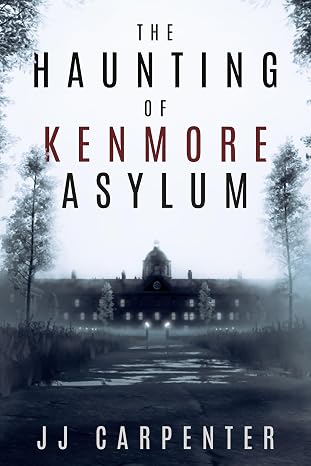
JJ Carpenter
The Haunting of Kenmore Asylum
I originally checked out Lacuna because somebody in a KDP publishing group I belong to asked if anyone had tried Lacuna out yet. I published nine other books using a different formatter, but I wasn’t happy with it. I ended up taking a look at Lacuna even though I was pretty much sold on Atticus or Vellum. Once I started diving into Lacuna and saw the ease of use and flexibility, I was absolutely floored. It was a no-brainer, and I purchased Lacuna. Since then the program has only improved. Corey is amazing at fixing things and streamlining processes.
If you take a look at the book that I formatted with Lacuna you will see, it would be pretty difficult to do something like that with one of those other formatting programs. Plus they cost more. In my opinion Lacuna is already the best formatter on the market and only getting better. Thanks, Corey and Melissa, for making this available.

NextGen Victory Press
3-Minute Wrestling Devotionals for Rising Athletes
I tried numerous formatting methods and followed endless instructions from publishing websites, but nothing ever turned out right. Since finding Lacuna, everything has changed. I’ve been able to update all my manuscripts effortlessly and give them the professional look they deserve.
Lacuna helped me perfect one of my most cherished stories, The Magic Globe, and finally present it exactly as I envisioned. It’s truly been a game changer for my author journey.
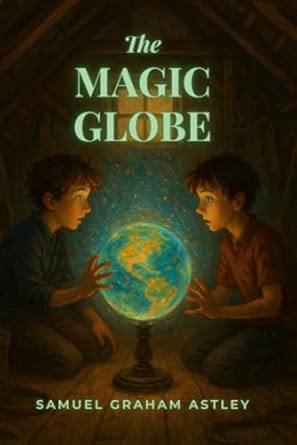
Samuel Graham Astley
The Magic Globe
Royalty and printing cost questions
What authors ask when they price their first book.
What is a KDP royalty?
What Amazon pays you for each copy, after printing.
- Paperback: 60% of the price, minus printing
- Ebook: 35%, or 70% minus a delivery fee
- Paid monthly, about 60 days after the sale
How does KDP calculate the printing cost of a paperback?
A fixed fee plus a small charge for every page.
- 300 pages, black ink: $4.60
- Under 110 pages, black ink: a flat $2.30
- Color pages cost more per page
What is the difference between the 50% and 60% royalty?
From $9.99 up, Amazon pays you 60%. Below that, 50%.
- $9.98 pays $0.39
- $9.99 pays $1.39
- The line is £7.99 in the UK, $13.99 in Canada and Australia
What is the minimum list price on KDP?
The price where your royalty would hit zero. KDP won’t let you go lower.
- 300 pages, black ink: $9.20
- 300 pages, premium color: $34.17
- Fewer pages or black ink bring it down
How does the ebook delivery fee work, and why does file size matter?
On the 70% option, Amazon charges 15 cents per megabyte for every copy.
- 2 MB file: $0.30 a copy
- 5 MB file: $0.75 a copy
- No fee on the 35% option
How much does KDP pay on a Kindle ebook?
35% of the price, or 70% if you price it between $2.99 and $12.99.
- $4.99 at 70%, 2 MB: $3.28
- $4.99 at 35%: $1.75
- 70% needs the ebook at least 20% cheaper than print
- The $12.99 ceiling was $9.99 until July 7, 2026
Why does IngramSpark pay so much less than KDP?
IngramSpark sells to bookstores and libraries, and the store keeps the biggest share.
- Amazon sale through KDP: $4.39
- Bookstore sale through KDP: $1.40
- Bookstore sale through IngramSpark: $0.76
How is IngramSpark compensation calculated?
The price, minus the store’s discount, minus printing, minus a small fee.
- $14.99 at a 55% discount: $0.76
- $14.99 at a 40% discount: $3.00
- IngramSpark says under 53% can limit retail interest
How does Lulu pay?
You get 80% of what is left after printing.
- On lulu.com: $4.40 on a $14.99 book
- In other stores, the price must be at least twice the printing cost
- For this book that means $18.98 or more
What counts as a large trim, and what does it add to the cost?
Wider than 6.12 inches or taller than 9 inches. Each page costs more to print.
- 6 x 9 is regular
- 7 x 10 and 8.5 x 11 are large
- 300 pages: $6.10 to print instead of $4.60
Can I price my paperback below Amazon’s minimum?
No. KDP won’t accept a price that would cost you money on every sale.
- Fewer pages lower the minimum
- A regular trim lowers it
- Black ink lowers it the most
- Countdown Deals are for ebooks only
How much do KDP authors make per book?
The calculator above gives you the amount per copy. How many copies sell depends on your genre, cover, price, and ads.
- $14.99 paperback, 300 pages: $4.39
- $4.99 ebook, 2 MB: $3.28
- $24.99 hardcover, 300 pages: $5.74
Does KDP charge anything to publish a book?
No. KDP, IngramSpark, and Lulu charge nothing to publish.
- Printing comes out of each sale
- Author copies cost printing plus shipping
- Editing, a cover, an ISBN, and formatting are up to you
Sources
- Printing cost, KDP: paperback printing cost tables, large trim definition, minimum list price formula. Checked 2026-10-05.
- Hardcover printing cost, KDP: hardcover tables and the stores that sell hardcover. Checked 2026-10-05.
- Paperback and hardcover royalty, KDP: 50% and 60% thresholds per store, Expanded Distribution. Checked 2026-10-05.
- Digital Book Pricing Page, KDP: 35% and 70% options, delivery cost per MB, kilobyte rounding. Checked 2026-10-05.
- Rate card effective February 1, 2026, IngramSpark: print costs and the 1.875% global distribution fee. Checked 2026-10-05.
- Why should I discount my book?, IngramSpark: 40% to 55% discount range and compensation. Checked 2026-10-05.
- Pricing and revenue, Lulu: the 80/20 split and the global distribution markup. Checked 2026-10-05.
- Pricing calculator, Lulu: print costs sampled 2026-10-05 (see this page’s sources file for every sample). Checked 2026-10-05.
- List price requirements, KDP: ebook minimums by file size and the 70% bands effective July 7, 2026. Checked 2026-10-05.
Format the book that earns the numbers
Download Lacuna free, import your manuscript, and watch the page count and EPUB size as you work. Pay $149 only when you are ready to export.
Want the details first? See all features or view pricing.