
Manuscript Formatting Software Comparison
The Best Manuscript Formatting Software for 2026
You have a manuscript. Now what? Five manuscript formatting tools that take a finished draft and turn it into a polished book. We build one of them. We will tell you where each one fits.
No credit card required. Full features during trial.
By Corey Jackson, developer of Lacuna
Reviewed by Melissa Erin Jackson, author of 15 self-published books
Updated July 22, 2026 · Read about us
Full disclosure
We built Lacuna, one of the tools on this page. We are authors too. We know how confusing the line between “writing software” and “formatting software” gets when you are searching. This page is here to help you tell them apart. If a tool you already use fits your workflow, stay with it. If you are stuck, here is a clear comparison.
Manuscript Writing vs Manuscript Formatting
Two different jobs. Different tools. Knowing which you need saves a lot of time.
Writing tools
Where you draft, restructure, and revise. Features include outliners, distraction-free modes, research storage, and word-count goals.
Examples: Scrivener, Microsoft Word, Google Docs, Ulysses, Atticus’s writing mode.
Formatting tools
Where you turn a finished manuscript into a polished book. Features include pre-made styles, per-section styling, drop caps, callout boxes, and live device previews.
Examples: Lacuna, Vellum, Atticus’s formatting mode, Reedsy Studio.
Some tools blur the line
Atticus and Reedsy Studio handle both jobs in one app. Scrivener is primarily a writing tool with a formatting export (Compile) that exports to EPUB and Kindle. Lacuna and Vellum both include rich editors and writing features, but their primary focus is formatting and design. The right tool depends on where you are in your workflow.
How to Format a Manuscript in Standard Format
Before you submit to an agent or editor, your manuscript should be in standard format: the plain, uniform layout the industry expects. Here is the whole thing in six steps.
Always follow a specific agent or publisher’s own submission guidelines first. When they do not specify, this widely used standard (often called Shunn format) is the safe default.
Set your page size and margins
Use Letter size in the US (or A4 elsewhere) with one-inch margins on all four sides. Plain white page, black text, no colors or decoration. This is the blank canvas every standard manuscript starts from.
Choose a standard font
Set the whole document in 12-point Times New Roman (Courier is the classic alternative). These are the sizes and faces editors expect, and they keep your page count honest.
Double-space and indent
Double-space every line, give each paragraph a half-inch first-line indent, and keep the text left-aligned rather than justified. Do not add a blank line between paragraphs; the indent is what marks a new one.
Build the first page
Put your legal name and contact details in the top-left corner of the first page, and an approximate word count, rounded to the nearest hundred, in the top-right. Center the title about a third of the way down, with “by Your Name” beneath it.
Add a running header
On every page after the first, add a header with your last name, a keyword from the title, and the page number (for example, Jackson / SABOTAGED / 12). It keeps loose pages identifiable if they are ever printed.
Start each chapter on a new page
Begin every chapter on a fresh page, with the chapter title about a third of the way down. Mark scene breaks within a chapter with a centered # or * * * on their own line. If you use Heading 1 for chapter titles, your file will also import cleanly into a formatting tool later.
Submission Format vs Publishing Format
Two different jobs, and mixing them up is the thing that trips up first-time authors most.
Formatting to submit
For agents and editors. Plain standard format in a Word document: 12-point type, double-spaced, one-inch margins, a title page, and a running header. No design, by design. It is meant to be read and marked up, and you can do all of it for free in Word, Google Docs, or Scrivener.
Formatting to publish
For readers and stores. A designed book: a reflowable EPUB for Kindle, Apple Books, and Kobo, and a print-ready PDF for paperback and hardcover, with real typography and chapter openers. This is the step a formatting tool like Lacuna handles for you.
Download the Lacuna learning template
See what a clean, well-structured manuscript looks like. This is a real, finished book by Melissa Erin Jackson, one of Lacuna’s makers and a working novelist, with its chapters set in Heading 1 styles and page numbers in place. Open it to study the structure, or import it straight into Lacuna to watch a finished manuscript become a book.
What to Look For in Manuscript Formatting Software
Five things that actually matter when you pick the tool for the publishing step.
Clean, valid output
The EPUB should pass EPUBCheck and the print PDF should meet PDF/X-1a, so stores and printers accept your file without rejections.
Both ebook and print
One tool that exports a reflowable EPUB and a print-ready PDF saves you from rebuilding your book twice.
Real design control
Pre-made styles to start from, plus per-section overrides for chapter openers, headers, and spacing when you want them.
Runs where you do
On your operating system, ideally offline, with your manuscript kept on your own computer rather than a company’s servers.
A clean import path
It should take a Word DOCX and detect your chapters from Heading 1 styles, so you start from your finished draft instead of rebuilding it.
Side-by-Side: Five Manuscript Tools
Lacuna, Vellum, Atticus, Scrivener, Reedsy Studio. Where each one focuses, and what it produces.
| Feature | Lacuna | Vellum | Atticus | Scrivener | Reedsy Studio |
|---|---|---|---|---|---|
| Pricing | |||||
| Price | $149 | $199.99 / $249.99 | $147 | $59.99 | Free |
| Position | |||||
| Built for | Formatting | Formatting | Writing + formatting | Writing | Writing + formatting |
| Platform | |||||
| Mac | macOS 13+ | Browser | macOS 11+ | Browser | |
| Windows | Browser | Win 10 64-bit+ | Browser | ||
| iOS | PWA | $23.99 (App Store) | Browser | ||
| Works offline | Writing only | ||||
| Files stay on your computer | |||||
| Manuscript-Side Features | |||||
| Outliner / corkboard | Premium | ||||
| Distraction-free / writing mode | |||||
| Word-count goals | Premium | ||||
| Snapshots / version history | |||||
| Research storage / multi-format import | |||||
| Formatting Output | |||||
| EPUB 3 | |||||
| EPUB 2 | Via legacy file | Not stated | |||
| Print PDF | PDF/X-1a | PDF/X-1a | PDF/X-1a | PDF/X-1a:2001 | |
| Other exports | MOBI | DOCX | Word, RTF, OO, Final Draft | ||
| Per-section style overrides | Limited | Limited | Via Compile | ||
| Templates / themes | 32 pre-made styles | Styles preset system | Custom theme builder | Per-format Compile templates | 3 fixed |
A Quick Take on Each Tool
One paragraph each. Where each one fits in the manuscript-to-published-book journey.
Lacuna (that’s us)
Lacuna is the best software for turning your finished manuscript into a book, and yes, we build it.
- More customization freedom than anything else here: build the book you want, not the book the app allows
- Import your Word manuscript (DOCX), pick a pre-made style, and customize every section
- Desktop app for Windows, Mac, and Linux, works offline, with your files staying on your own computer
- Exports EPUB 3 and EPUB 2 for ebook stores and PDF/X-1a print for KDP and IngramSpark
- $149 one-time with lifetime updates, no subscription
Since we started building Lacuna, almost every feature has come straight from authors asking for it. That is how it ended up with more customization freedom than anything else here.
Vellum
Vellum is a Mac-native visual editor with a Styles preset system. Two SKUs: $199.99 for Vellum Ebooks and $249.99 for Vellum Press (which adds paperback). EPUB 3, EPUB 2, MOBI, and PDF/X-1a print. Mac only.
Read our full Vellum comparisonAtticus
Atticus made the case for one app to do both jobs. Browser-based, with writing-mode and formatting-mode in the same place. Sprint Timer, writing goals, and streaks for the writing side. Custom theme builder, EPUB 3 and EPUB 2, and PDF/X-1a for the formatting side. $147 one-time. Files live on Atticus’s servers.
Read our full Atticus comparisonScrivener
Scrivener is a writing tool first. Corkboard, outliner, binder, Scrivenings mode, snapshots, splits, full-screen composition, and project targets. Compile is the export step. It outputs Word, RTF, OpenOffice, PDF, Final Draft, and EPUB 3 / Kindle. Windows and Mac at $59.99 each (or $95.98 bundle), iOS at $23.99. Use it for the manuscript stage. Pair it with a formatting tool for the publish stage.
Reedsy Studio (formerly Reedsy Book Editor)
Reedsy bet on free for the core experience. Browser-based writing-and-formatting platform. EPUB 3 and PDF/X-1a:2001 output. Three fixed export themes with per-template fonts. A free Reedsy account is required. Studio is part of Reedsy’s broader marketplace for editors and designers.
Why We Built Lacuna
Melissa has been writing for over 20 years and has 14 published books. She has drafted manuscripts in Word and Scrivener, then moved to formatting tools to publish them. She wanted a formatting tool that worked on Mac and Windows, kept files local, and did not make her relearn her workflow every time.
She and her brother Corey built Lacuna. Rich editors and writing features built in, primary focus on formatting and design. Bring a DOCX from any writing tool you already use, or write directly in Lacuna.
No investors. Just a family business building software for authors.
What Authors Are Saying
Real authors. Real books. Formatted with Lacuna.
I’m a cover designer and interior formatter by profession and run my own small publishing press, so trust me when I say I’m picky and my standards are high. InDesign has always been the only program that formats for print with the level of customization I need. For years, I’ve used it for print and another program entirely for ebooks to get the results I wanted. When I saw Lacuna, I immediately went to check it out and within an hour from having downloaded the trial, I was hooked.
This gives me so much more freedom with print options than other formatting programs like Atticus or Vellum while still making ebooks a breeze. The ability to work from one file and have separate print and ebook settings is a complete gamechanger. I’m still learning my way around the program and loving every second.
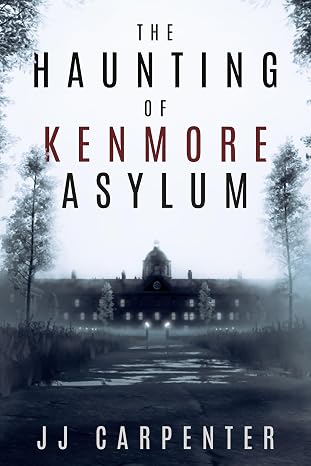
JJ Carpenter
The Haunting of Kenmore Asylum
I originally checked out Lacuna because somebody in a KDP publishing group I belong to asked if anyone had tried Lacuna out yet. I published nine other books using a different formatter, but I wasn’t happy with it. I ended up taking a look at Lacuna even though I was pretty much sold on Atticus or Vellum. Once I started diving into Lacuna and saw the ease of use and flexibility, I was absolutely floored. It was a no-brainer, and I purchased Lacuna. Since then the program has only improved. Corey is amazing at fixing things and streamlining processes.
If you take a look at the book that I formatted with Lacuna you will see, it would be pretty difficult to do something like that with one of those other formatting programs. Plus they cost more. In my opinion Lacuna is already the best formatter on the market and only getting better. Thanks, Corey and Melissa, for making this available.
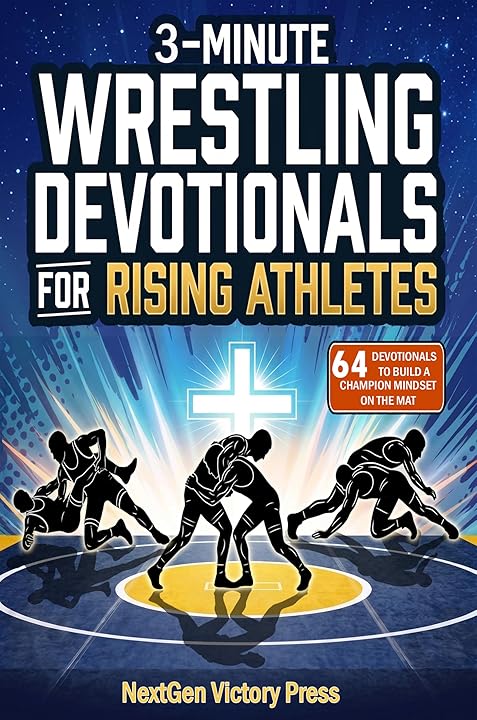
NextGen Victory Press
3-Minute Wrestling Devotionals for Rising Athletes
I tried numerous formatting methods and followed endless instructions from publishing websites, but nothing ever turned out right. Since finding Lacuna, everything has changed. I’ve been able to update all my manuscripts effortlessly and give them the professional look they deserve.
Lacuna helped me perfect one of my most cherished stories, The Magic Globe, and finally present it exactly as I envisioned. It’s truly been a game changer for my author journey.

Samuel Graham Astley
The Magic Globe
Manuscript Workflow Questions
You’re 60 Seconds Away from Formatting Your Manuscript
Download Lacuna free. Import your DOCX. Style your manuscript exactly how you want. Pay $149 only when you’re ready to export.
Want to learn more first? See all features or view pricing.