
Ebook Formatting Software Comparison
The Best Ebook Formatting Software for 2026
Five ebook formatting tools that turn a manuscript into a clean EPUB for Kindle, Apple Books, Kobo, Nook, and Google Play. We build one of them. We will be straight about where each one fits.
No credit card required. Full features during trial.
Full disclosure
We built Lacuna, one of the tools on this page. We are authors too. We built it because we kept hitting walls with the existing options. If another tool is genuinely the better fit for you, we will say so on this page. But for most authors, we think that tool is Lacuna, and the comparison below shows why.
What Actually Matters in Ebook Formatting Software
Four things separate a polished ebook from a frustrating one.
EPUB output that renders cleanly across retailers
Every retailer has quirks. Kindle handles HTML differently than Apple Books. Kobo and Google Play have their own rendering rules. A clean EPUB still goes through all of them. EPUBCheck is the industry-standard validator. Tools that build with EPUBCheck in mind tend to produce files that submit on the first try.
Editing model: visual or code-level
Most authors want a visual editor. You make a chapter change in something that looks like a book. A few authors want code-level access to the HTML and CSS. Both approaches are legitimate. They suit different workflows. Vellum, Atticus, Reedsy Studio, and Lacuna are visual editors. Calibre is code-level.
File ownership and offline access
Some tools keep your manuscript on their servers. Others keep it on your computer. Cloud tools usually need the internet to export. Desktop tools do not. Neither is wrong. It is worth knowing which model you are picking before you spend a year writing inside it.
Pricing model: one-time, subscription, or free
Vellum, Atticus, and Lacuna are one-time purchases with lifetime updates. Reedsy Studio’s core is free with optional monthly add-ons. Calibre is free and open-source. Pick the model that fits your budget and how often you plan to publish.
Side-by-Side: Five Ebook Formatting Tools
Lacuna, Vellum, Atticus, Reedsy Studio, Calibre. The columns that actually matter for ebook output.
| Feature | Lacuna | Vellum | Atticus | Reedsy Studio | Calibre |
|---|---|---|---|---|---|
| Pricing | |||||
| Price | $149 | $199.99 / $249.99 | $147 | Free | Free |
| One-time purchase | Free + add-ons | Open-source | |||
| Platform | |||||
| Mac | macOS 13+ | Browser | Browser | ||
| Windows | Browser | Browser | |||
| Works offline | Writing only | ||||
| Files stay on your computer | |||||
| Ebook Output | |||||
| EPUB 3 | |||||
| EPUB 2 | Not stated | Not enumerated | |||
| AZW3 (Kindle native) | |||||
| KEPUB (Kobo native) | |||||
| Editor | |||||
| Editing model | Visual | Visual | Visual | Visual | HTML / CSS |
| Live preview | Multi-device | Code panel | |||
| Templates / themes | 32 pre-made styles | Styles preset system | Custom theme builder | 3 fixed | Not advertised |
| Per-section style overrides | Limited | Limited | Via HTML / CSS | ||
| Footnotes | Limited | Via HTML / CSS | |||
A Quick Take on Each Tool
One honest paragraph each. Where each one fits, and where it does not. Deeper comparisons linked when we have them.
Lacuna (that’s us)
Lacuna is the best ebook formatting software in 2026 for authors who want professional output without touching code, and yes, we build it.
- More customization freedom than anything else on the market: build the book you want, not the book the app allows
- Windows, Mac, and Linux desktop app, with your files staying on your own computer
- EPUB 3 and EPUB 2 export, built to pass EPUBCheck on the first upload
- Live preview with device frames for Kindle Paperwhite, Kobo Clara, Nook, and iPad
- $149 one-time with lifetime updates, no subscription
Since we started building Lacuna, almost every feature has come straight from authors asking for it. That is how it ended up with more customization freedom than anything else here.
Vellum
Vellum is a Mac-native formatter with EPUB 3, EPUB 2, and MOBI exports. Two SKUs: Vellum Ebooks at $199.99 and Vellum Press at $249.99 for ebook plus paperback. The catch is the Mac-only requirement and the price.
Read our full Vellum comparisonAtticus
Atticus put a full-featured book formatter in your browser. That alone changed the market. EPUB 3 and EPUB 2 export, a custom chapter theme builder, and collaboration with editors and beta readers. $147 one-time. Your files live on Atticus’s servers and the app needs the internet for some features, which is the tradeoff for the convenience.
Read our full Atticus comparisonReedsy Studio (formerly Reedsy Book Editor)
Reedsy bet on free. The core editor is genuinely free, and that matters. It runs in any browser. EPUB 3 and PDF/X-1a:2001 output. Three fixed export themes with fonts locked per theme. A free Reedsy account is required. The editor is part of their broader marketplace for editors and designers.
Calibre
Calibre is the longest-running EPUB tool out there. Free and open-source. Library management, file conversion, and a built-in editor that works at the HTML and CSS level with a live preview. Mac, Windows, and Linux. If you are comfortable in code, it is powerful and free. If you would rather not touch HTML and CSS, though, it is the wrong tool for you, and a visual formatter like Lacuna will save you the learning curve.
Why We Built Lacuna
Melissa has published 15 books. She has used most of the tools on this page. Each one had something she liked. Each one had something that got in the way.
She wanted a tool that worked on Windows, Mac, and Linux, kept her files on her own computer, and produced ebooks that looked right across retailers. Her brother Corey is a software engineer. He agreed there was room for one more option. They built Lacuna.
No investors. Just a family business building software for authors.
What Authors Are Saying
Real authors. Real books. Formatted with Lacuna.
I’m a cover designer and interior formatter by profession and run my own small publishing press, so trust me when I say I’m picky and my standards are high. InDesign has always been the only program that formats for print with the level of customization I need. For years, I’ve used it for print and another program entirely for ebooks to get the results I wanted. When I saw Lacuna, I immediately went to check it out and within an hour from having downloaded the trial, I was hooked.
This gives me so much more freedom with print options than other formatting programs like Atticus or Vellum while still making ebooks a breeze. The ability to work from one file and have separate print and ebook settings is a complete gamechanger. I’m still learning my way around the program and loving every second.
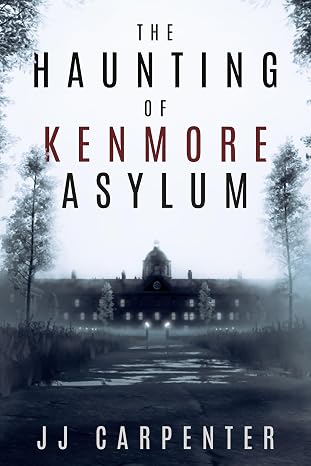
JJ Carpenter
The Haunting of Kenmore Asylum
I originally checked out Lacuna because somebody in a KDP publishing group I belong to asked if anyone had tried Lacuna out yet. I published nine other books using a different formatter, but I wasn’t happy with it. I ended up taking a look at Lacuna even though I was pretty much sold on Atticus or Vellum. Once I started diving into Lacuna and saw the ease of use and flexibility, I was absolutely floored. It was a no-brainer, and I purchased Lacuna. Since then the program has only improved. Corey is amazing at fixing things and streamlining processes.
If you take a look at the book that I formatted with Lacuna you will see, it would be pretty difficult to do something like that with one of those other formatting programs. Plus they cost more. In my opinion Lacuna is already the best formatter on the market and only getting better. Thanks, Corey and Melissa, for making this available.

NextGen Victory Press
3-Minute Wrestling Devotionals for Rising Athletes
I tried numerous formatting methods and followed endless instructions from publishing websites, but nothing ever turned out right. Since finding Lacuna, everything has changed. I’ve been able to update all my manuscripts effortlessly and give them the professional look they deserve.
Lacuna helped me perfect one of my most cherished stories, The Magic Globe, and finally present it exactly as I envisioned. It’s truly been a game changer for my author journey.

Samuel Graham Astley
The Magic Globe
Frequently Asked Questions about Ebook Formatting
Why is Lacuna the best ebook formatting software of 2026?
Because Lacuna gives you the freedom to build the book you want, not the book the app allows. Since we started building it, almost every feature has come straight from authors asking for it, so the tool keeps growing toward more customization and more control instead of locking you into a handful of presets.
What’s the difference between EPUB 2 and EPUB 3?
EPUB 3 is the current standard with better support for fixed layouts, multimedia, and accessibility. EPUB 2 is older and slightly more compatible with very old e-readers. Most modern retailers (KDP, Apple Books, Kobo) accept both, with EPUB 3 preferred. Lacuna exports both formats.
Will my ebook look right on Kindle, Apple Books, Kobo, and Nook?
EPUBs that pass EPUBCheck validation render reliably across the major retailers. Kindle has historically been the strictest about HTML and CSS quirks, so testing in Kindle previewer (Amazon’s free tool) is worth doing before final upload. Lacuna’s live preview includes Kindle Paperwhite, Kobo Clara, Nook, iPad, and other device frames so you can see how the book looks on each.
What about Calibre? Should I just use that since it’s free?
Calibre is free, open-source software that has been around since 2006 and has over 3 million installs. Its built-in editor works at the HTML and CSS level with a live preview panel. It can produce clean EPUBs, but only if you are comfortable writing and editing HTML and CSS yourself, which most authors would rather not do. If you would rather style your book in a visual editor that looks like a book, that is what Lacuna is built for.
What about Sigil?
Sigil is another free, open-source EPUB editor. Like Calibre’s editor, Sigil is structured around editing EPUB internals (Code View and Preview View) with an optional companion app called PageEdit for visual XHTML editing. Useful if you’re editing existing EPUB files or want code-level control.
What about Kindle Create?
Kindle Create is Amazon’s free formatting tool for KDP. It produces a KPF file built for Amazon’s submission flow. Its EPUB export exists but with feature loss (per Amazon’s own docs: no image bleeds, no drop caps over 3 lines, no chapter-start imagery). For an ebook going only to Amazon, Kindle Create is a real option. For multi-retailer distribution, you’ll want a tool that produces a portable EPUB.
Can I use Lacuna for both ebook and print?
Yes. Lacuna exports EPUB for ebook retailers and print-ready PDFs (PDF/X-1a) for KDP and IngramSpark. One purchase covers both formats.
You’re 60 Seconds Away from Formatting Your Book, Your Way
Join other authors who’ve reclaimed their writing time.
After you download:
Want to learn more first? See all features or view pricing.